
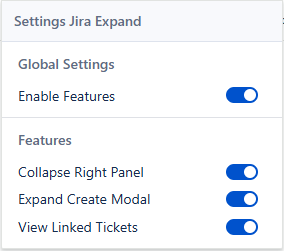
A Cleaner Jira Experience
Maximize Your Space
Expand creation and description fields to use full screen width.
One-Click Toggle
Collapse and expand right panel instantly to focus on what matters.
View Linked Issues
See linked tickets in a clean modal without leaving current screen.
Fully Customizable
Choose which features to enable for a personalized Jira experience.
Get Started in Seconds
1. Install Extension
Add to Chrome from the official Web Store.
2. Open a Jira Issue
Navigate to any issue page. You'll see new icons to control layout.
3. Click to Expand
Click buttons to toggle full screen or collapse side panel.
Frequently Asked Questions
Yes. Only interacts with page structure to resize elements. Doesn't read or transmit data.